

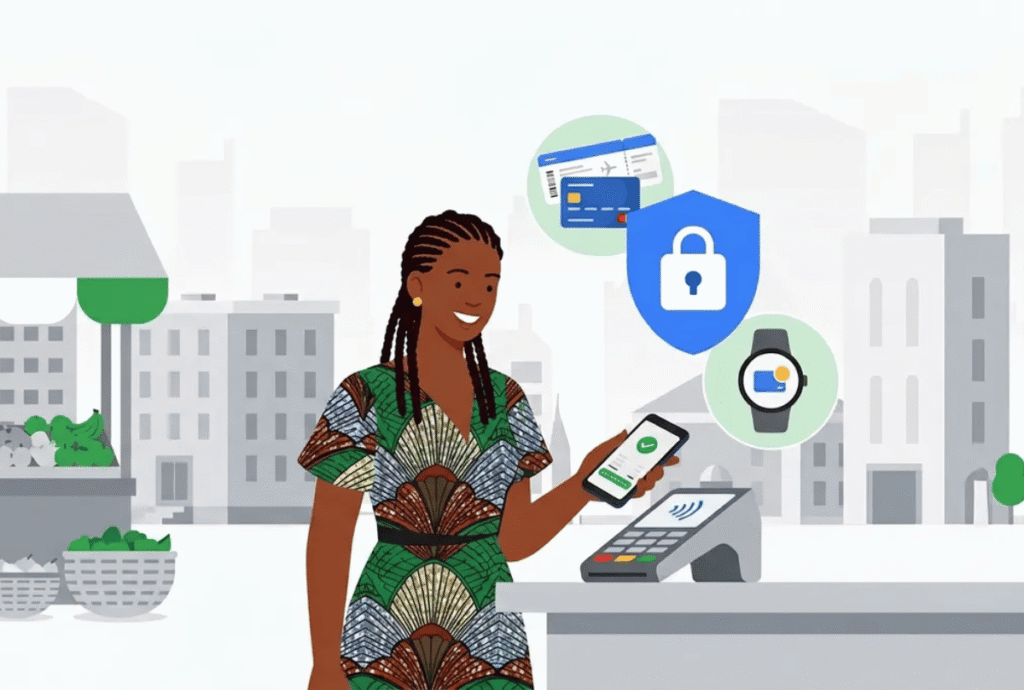
Google Wallet and Google Pay are now available in Nigeria for eligible Android and Wear OS users, with payments and supported passes in one app.
Google has launched Google Wallet, including Google Pay, in Nigeria, bringing mobile payments and digital storage to Android and Wear OS users. The company announced the launch on October 28, with local news reports describing availability from October 27. Users can add eligible cards from participating financial institutions and pay at contactless terminals, in apps and online. The rollout also supports storing selected everyday passes, although card and item availability can depend on partners.
Google Wallet and Google Pay in Nigeria
Google’s  Africa blog announcement describes Wallet as the app for storing payment cards and other digital items. Google Pay is the payment feature users access through that wallet. The service works with Android phones and Wear OS devices, according to Google, but users still need a supported payment card to make purchases.
With an eligible card added, users can tap a compatible phone or watch at a store’s contactless payment terminal. Google says the service can also support checkout in apps and online. Those options depend on the merchant accepting the payment method, and in-store tap payments require a compatible device and terminal.
Google’s country-specific  Wallet support page lists tap-to-pay availability in Nigeria. It also cautions that some passes and cards are available only in certain countries, devices or through selected partners. Therefore, the launch does not mean every bank card or every digital pass will work for every user.
Eligible bank cards and payment access
Google’s announcement says customers can add supported cards from participating financial institutions, without naming all issuers in the blog post. Nigerian banks have announced their own integrations for eligible customers. UBA, for example, says its eligible Visa and Mastercard users can use Google Pay with compatible devices at supported terminals.
Digital cards, tickets and security features
Google says Wallet can store items such as loyalty cards, event tickets and boarding passes. Users can keep these alongside eligible payment cards in the app, reducing the need to search through physical items or separate apps. However, ticket and pass availability may depend on the issuing airline, event organiser or loyalty programme supporting Wallet.
Google says it uses multiple security layers and industry-standard encryption to protect payment information. The company also points users to Find My Device, which can lock a missing phone, change its password or erase personal information remotely. These are Google’s descriptions of its protections; users should still secure their devices and follow their bank’s guidance.
The service extends contactless payment options to compatible devices, but it does not guarantee acceptance everywhere. A merchant needs a terminal configured for contactless payments, and online or in-app checkout requires the merchant to offer Google Pay. Payment conditions can also differ by card issuer and transaction type.
Google Pay launch and what users should check
Google’s announcement says users can download the Wallet app from the Google Play Store. Before adding a card, customers should check whether their bank and specific card are supported. They should also confirm their device supports the feature and understand where contactless payment is accepted.
UBA Directorate Head of Cards Orry Seem said the bank’s goal was to make payments easier for customers. “For many of them, the phone is the first thing they reach for, so it makes sense for it to become their wallet too.” — Orry Seem, Directorate Head of Cards at UBA. The bank’s statement reflects its own service rollout and does not mean every Nigerian cardholder has access.
Ultimately, Google Wallet and Google Pay are now available in Nigeria, giving eligible Android and Wear OS users another way to pay and store supported passes. The service’s practical reach depends on participating issuers, compatible devices and merchants that accept contactless or online payments. Users should check those requirements with Google and their bank before adding cards or relying on the wallet.